Let’s Encrypt certificate on Ubiquiti Unifi Controller installed on Synology Docker
This is a short article describing how to install an SSL Let’s Encrypt certificate on Ubiquiti Unifi Controller that is installed on Synology using Docker.
The article assumes that Docker and Unifi Controller are already installed on your Synology NAS and that the Let’s Encrypt certificate is already added in Synology’s Control Panel. Also that the certificate to be used is the one set as default, although this can be easily modified in the script.
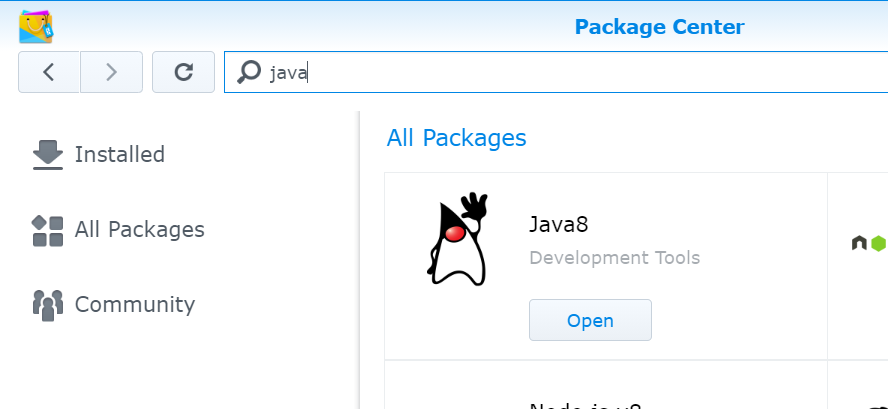
Install Java8 because the terminal commands used for generating and importing the certificate in Unifi Controller’s keystore are part of that package.
Navigate to Task Scheduler and create a scheduled task with root privilege to run once a day that will check if the certificate has been updated within the last 24 hours and then import it in the keystore.
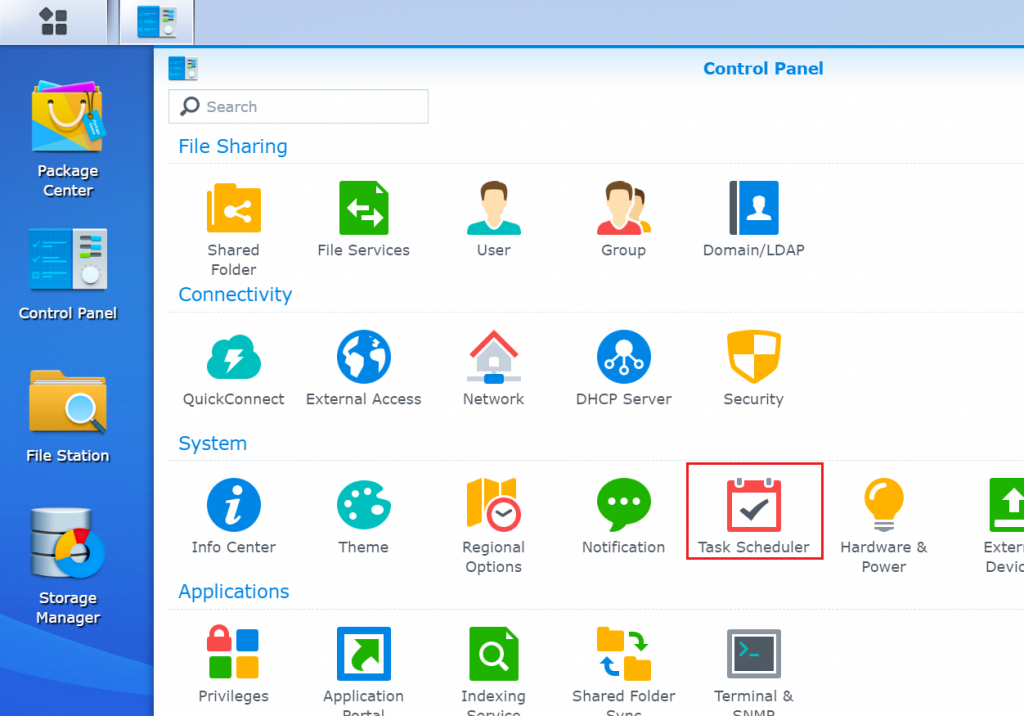
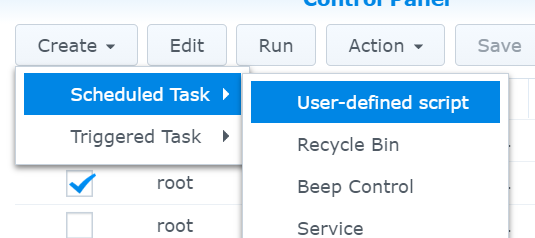
Copy and Paste below code in Run Command textbox.
#!/bin/bash
#Should be scheduled to run once a day

echo "Go to the default certificate folder"
sudo su
cd /usr/syno/etc/certificate/_archive/`cat /usr/syno/etc/certificate/_archive/DEFAULT`

#Check if the certificate has been updated within the last 24 hours
if [ $(find . -mtime -1 -type f -name cert.pem) ];then
	echo "Creating certificate"
	openssl pkcs12 -export -inkey privkey.pem -in fullchain.pem -out fullchain.p12 -name unifi -password pass:unifi

	echo "Importing certificate"
	keytool -importkeystore -deststorepass aircontrolenterprise -destkeypass aircontrolenterprise -destkeystore /volume1/docker/Unifi-Controller/data/keystore -srckeystore fullchain.p12 -srcstoretype PKCS12 -srcstorepass unifi -alias unifi -noprompt

	rm -f fullchain.p12

	echo "Restarting Unifi-Controller"
	docker restart Unifi-Controller
else
	echo "Certificate not updated recently"
fi
Now all you have to do is wait for the script to run and do its magic!